
VifunAI : AI Video Generator
MOON TEMPLE LIMITEDArt & Design
4.065.00 Reviews
- Version
- 1.3.3.1
- Installs
- 500.00K
- Age Rating
- Teen
Screenshots
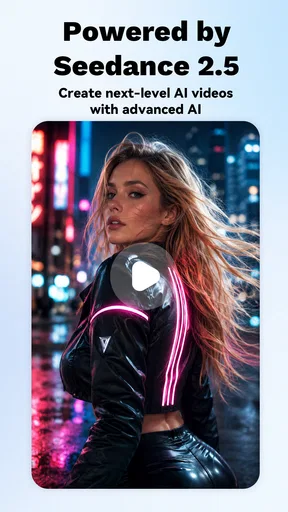
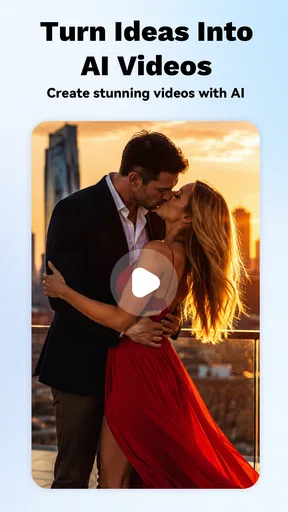
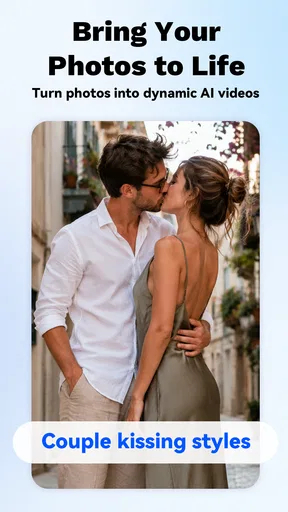
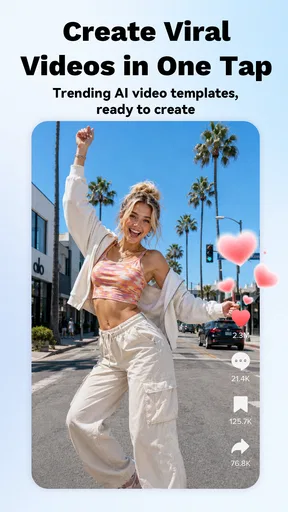
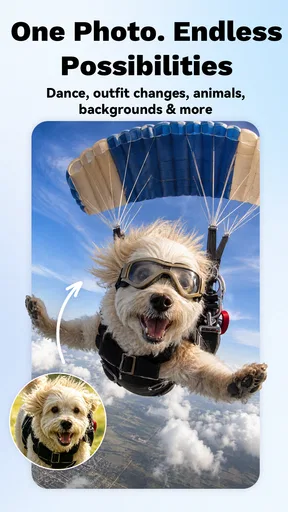
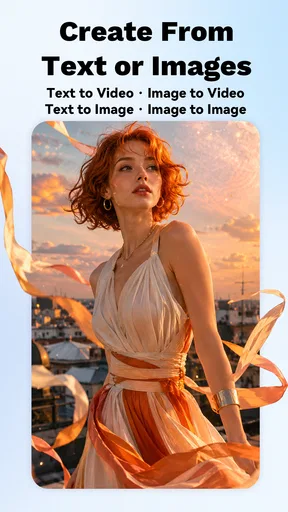
Our Review of VifunAI : AI Video Generator
 Analysis by Appyee
VifunAI: AI Video Generator is the kind of creative app I reach for when a still photo feels too quiet. It turns images into short, stylized videos using automated effects, templates, and editing tools, so the appeal is immediate: choose a picture, select a visual direction, and see whether the result gives it enough movement and personality to share. My overall view is positive, but with an important qualification. This is best understood as a fast idea generator rather than a full video editor.
That distinction matters. If you want to make a polished, carefully timed project with detailed control over every cut, audio layer, and transition, a traditional editor will suit you better. If you want to transform a handful of photos into something more expressive without learning a complicated timeline, this Art & Design app has a much friendlier starting point. I found its strongest quality in reducing the distance between “I have a picture” and “I have something I can show someone.”
How VifunAI turns ordinary photos into shareable clips
The workflow is built around visual experimentation. Instead of beginning with a blank editing timeline, I can start with an image and let the app’s templates and effects suggest a direction. That makes it useful for people who know the mood they want but do not necessarily know how to build it manually. A portrait can become more dramatic, a travel image can feel more energetic, and a small collection of everyday pictures can be given a common visual treatment.
The most useful way to approach it is to treat each photo as a starting point, not a finished instruction. The app can add creative movement and atmosphere, but the source image still determines much of the final impression. A clear subject, strong contrast, and a simple composition usually give the automated treatment more to work with than a dark, crowded, or blurry picture. I would therefore spend a moment choosing the right image before trying several templates.
The real strength is speed with a visual payoff. VifunAI removes much of the technical setup that normally makes short-form video creation feel like work. I do not need to arrange every element before seeing whether an idea has potential. That makes the app especially appealing for quick social posts, personal greetings, mood boards, and small creative experiments.
Its position in the Art & Design category also makes sense. The experience is less about traditional drawing and more about giving visual material a new presentation. It sits between a photo-effects tool and a lightweight video maker. That middle ground is valuable, because many people want motion and style but do not need the complexity of professional software.
Where the templates help most
Templates are most effective when I use them as a creative filter rather than as a guaranteed finished product. They provide a recognizable rhythm and mood, which is helpful when I am unsure how to present an image. The trade-off is that a template can also make different users’ videos feel similar if it is applied without any personal adjustment. I get better results by testing a few contrasting styles, then choosing the one that supports the subject instead of simply choosing the most dramatic preview.
A practical workflow is to create a first version quickly, watch it without judging it too harshly, and then ask one simple question: does the motion draw attention to the photo or distract from it? If the effect overwhelms the face, product, or main object, another template is probably a better choice. This small check prevents the common mistake of confusing more animation with a better video.
For a birthday message, for example, I would use a clear portrait or a small group of related images, choose a warm treatment, and keep the visual focus on the people. For a handmade product, I would favor a style that leaves the object readable instead of covering it with excessive decoration. The app is flexible enough for both situations, but the best result comes from matching the template to the purpose.
Useful workflows beyond casual experimentation
One less obvious use is building a quick visual draft before committing time to a larger project. I can use VifunAI to test whether a set of images shares a convincing mood. If the results look disconnected, that tells me the problem may be the image selection rather than the editing. This is a useful planning step for a small event recap, a personal portfolio teaser, or a concept video.
Another practical approach is to prepare several versions from the same source image and compare them for clarity. This is not just about picking the most eye-catching effect. It helps reveal whether the photo works better with movement, atmosphere, or a simpler presentation. In that sense, the app can act as a visual brainstorming partner, even when I do not use the final export.
I also like the possibility of using it for a sequence of related photos rather than one isolated image. A consistent visual treatment can make a group of pictures feel more intentional. The important limitation is consistency: if every image has a different mood, the finished clip may feel like a collection of unrelated experiments. I would decide on the emotional direction first and then resist changing styles just because another effect looks impressive on its own.
The everyday scenario where it makes sense
Imagine I have just returned from a weekend trip with a few favorite photos. I want to send something more engaging than a static album to friends, but I do not want to spend an evening learning a complex editor. VifunAI fits that moment well. I can select the strongest images, try a few templates, and produce a short visual recap that feels more deliberate than simply attaching the photographs.
The same workflow works for a small shop owner preparing a quick product announcement, a student presenting a visual concept, or someone making a personal greeting. In each case, the value is not professional-level control. The value is getting from raw images to an expressive result while the idea is still fresh.
For social content, I would still review the whole clip before sharing it. Automated movement can make a photo look lively, but it can also create an awkward emphasis or an effect that does not match the message. Watching the result once with the sound off is a useful test: if the visual story is confusing without extra context, the template may be doing too much.
What separates it from a conventional editor
Traditional mobile video editors are usually better when I need precise timing, manual trimming, layered media, or a carefully controlled sequence. They reward patience and give me more authority over the final result. VifunAI takes the opposite approach. It gives me a faster path to a stylized outcome, but some of the creative decisions are made by the app’s automated system and preset structure.
That makes the comparison less about which tool is universally better and more about what I am trying to accomplish. For a polished tutorial, a detailed review video, or a project where every second matters, I would choose the conventional editor. For a quick transformation of photos into a creative clip, I would choose VifunAI first because it lowers the entry barrier.
It also differs from a standard slideshow maker. A basic slideshow often focuses on placing images in order, while this app’s appeal is the added sense of movement and visual treatment. The result can feel more contemporary, but it may also be less predictable. Users who prefer quiet, restrained presentations may find ordinary slideshows more appropriate.
The meaningful limitation: speed comes with reduced control
The same automation that makes VifunAI approachable can become its main frustration. When I want a very specific motion, a carefully timed transition, or a precise relationship between several images, a preset workflow may feel restrictive. The app is good at helping me discover a direction, but it is not the tool I would depend on for exact art direction.
There is also a quality trade-off in using effects for their own sake. A visually busy template can hide the details that made the original photo appealing. Faces, text, and product features deserve special attention because movement and decoration can compete with them. I would keep the original image available and compare it with the generated result rather than assuming the animated version is automatically an improvement.
Another point to consider is the cost structure. The app is free to download and use as a starting point, while optional in-app purchases range from $2.99 to $179.99 per item. That wide range means I would examine the purchase screen carefully before committing to anything. Someone who only wants occasional experiments may be perfectly comfortable staying with the free experience, while a frequent creator should decide in advance how much the extra creative access is worth.
I would also avoid judging the app solely by its most impressive preview. Automated creative tools can produce a striking result in one case and a less convincing one in another, depending on the image. The sensible approach is to test it with the photos I actually plan to use. That gives a more honest impression than relying on idealized examples.
Who should use it, and who should skip it
I think VifunAI is a strong fit for casual creators, social-media users, students, small sellers, and anyone who wants to make photo-based videos without studying editing technique first. It is particularly useful for people who have visual ideas but do not enjoy technical setup. The app gives them a way to try a concept quickly and decide whether it is worth developing further.
It is also a good choice for users who prefer experimenting on a phone. The minimum operating system is Android 8.0, so it is accessible to many Android users with older devices, although the practical experience will still depend on the phone and the complexity of the chosen effect. I would keep expectations realistic on less capable hardware and allow extra patience when processing a visually demanding result.
I would skip it if my priority were detailed manual editing, a reliable professional workflow, or complete control over every visual decision. I would also look elsewhere if I mainly wanted to draw, retouch photographs with precision, or build long-form videos. VifunAI’s identity is narrower and more focused: it is about giving photos an animated, creative presentation.
The Teen content rating is worth keeping in mind for families and younger users. I would treat it as a creative tool that still deserves normal supervision around sharing, purchases, and the images being uploaded or transformed. That is less about the editing idea itself and more about using any social-ready media app thoughtfully.
Developer, maturity, and current app position
VifunAI is developed by MOON TEMPLE LIMITED. It has a 4.0 average from around 1.1 thousand ratings, with over 100 thousand installs and 35 written reviews. Those figures suggest a real user base and a reasonable level of interest, while also reminding me that the app is not something I would evaluate as a mature replacement for established professional editors.
The current version is 1.2.3.1, and the app was released on February 26, 2026. Because it is relatively early in its life, I would expect the experience to benefit from continued refinement. That is not automatically a negative; early versions can also feel focused and willing to explore a clear idea. Still, anyone depending on a highly predictable production workflow should test the exact process on their own device before building an important project around it.
The free entry point is a genuine advantage. I can explore the basic concept without paying first, then decide whether the available tools match my habits. The important discipline is to treat purchases as optional enhancements rather than necessary proof of value. If the free workflow already produces the kind of short photo video I need, there is no reason to spend more simply because additional options exist.
My practical advice for getting better results
I would begin with images that have one obvious subject. A clean portrait, a single product, or a landscape with a strong focal point gives the visual effects room to work. I would avoid combining unrelated photos until I know which style suits them, because a template cannot fully solve a weak sequence.
Next, I would make several short tests instead of trying to perfect the first attempt. The point is to compare mood and readability, not to collect effects. When two versions are similarly attractive, I would choose the calmer one if the video is meant to communicate information, and the more energetic one if the goal is celebration or entertainment.
Finally, I would keep a copy of the original photos and review every generated clip before sharing. This protects the creative process from becoming irreversible and makes it easier to spot an effect that changes the emphasis in an unwanted way. It is a small habit, but it is especially useful when automation is making decisions on my behalf.
In my experience, VifunAI: AI Video Generator succeeds because it makes photo animation feel approachable rather than technical. It is quick, visually playful, and useful for turning an ordinary image collection into a short piece of content with more personality. Its weakness is equally clear: the faster preset-driven workflow cannot replace the control of a full editor.
I would recommend it to a friend who wants fast creative results, enjoys trying different visual styles, and is comfortable treating the app as a source of ideas. I would not recommend it as the main tool for demanding video production or exact manual design. With that expectation in place, the free starting point makes it easy to try, and the best results come from choosing strong photos, matching the effect to the purpose, and resisting the temptation to let decoration overpower the story.
Privacy and Permissions
See what permissions an app requests and how it handles your data.
- Photos/Media/Files
- read the contents of your USB storage, modify or delete the contents of your USB storage
- Storage
- read the contents of your USB storage, modify or delete the contents of your USB storage
- Other
- view network connections, full network access, reorder running apps, prevent device from sleeping
Verdict
Strengths of VifunAI : AI Video Generator
- Creates videos from text prompts with minimal editing experience.
- Supports creative experimentation with AI-generated visual concepts.
- Can speed up early-stage content creation and idea development.
- Useful for short-form social media content and quick visual drafts.
- Cloud-based generation avoids requiring powerful phone hardware.
Limitations of VifunAI : AI Video Generator
- Generated results may vary noticeably between prompts and attempts.
- Rendering can take time, especially for complex or popular requests.
- Free usage may be limited by credits, exports, or available features.
- AI videos can include visual inconsistencies or unnatural motion.
- Some features may require an account or subscription to access.
Similar Picks in This Category
View All
Canva: AI Photo & Video Editor
Canva4.8

PENUP – Drawing-sharing SNS
Samsung Electronics Co., Ltd.4.5

Crafto
Kutumb App4.6

Sketchbook
Sketchbook4.1

ibis Paint X
ibis inc.4.5

Adobe Express: AI Photo, Video
Adobe4.6
Frequently Asked Questions
What is VifunAI: AI Video Generator and what can it do?
VifunAI: AI Video Generator is an artificial intelligence-powered creative app designed to turn written prompts, images, or ideas into short videos. Depending on the available tools and subscription level, you may be able to create stylized clips, animate still pictures, apply visual effects, and experiment with different video concepts without traditional editing skills. It is mainly aimed at social media creators, marketers, and casual users who want fast, automated results.
Is VifunAI: AI Video Generator free to download and use?
The app may be free to download, but access to its complete set of AI generation features can depend on credits, subscriptions, or in-app purchases. Free users may receive limited generations, lower output limits, watermarked videos, or restricted styles. Before creating many clips, check the current pricing page and trial conditions carefully, including renewal terms, because AI video generation can consume credits quickly and premium plans may renew automatically.
What kind of content can I create with VifunAI?
VifunAI can be useful for producing short creative videos from text descriptions or uploaded images, such as animated portraits, promotional concepts, cinematic scenes, social media posts, and visual experiments. The final result depends heavily on the quality and specificity of your prompt or source image. AI-generated motion may occasionally look unnatural, and complex instructions, faces, hands, text, or fast movement may not always be rendered accurately.
Does VifunAI require an internet connection or powerful hardware?
Yes, an internet connection is generally required because the AI processing is performed online rather than entirely on your phone or tablet. Generation time can vary according to the prompt, video length, server demand, and your connection quality. Although a high-end device is not usually necessary, the app may need sufficient storage for downloaded results, and older devices could experience slower previews, crashes, or difficulty handling high-resolution exports.
Can I use videos created with VifunAI for commercial purposes?
Commercial use depends on VifunAI’s current terms of service, the subscription plan you use, and the ownership rights associated with generated or uploaded material. Before using a video in advertising, client work, monetized channels, or business branding, review the license conditions carefully. You should also avoid uploading copyrighted images, private personal content, trademarks, or recognizable people unless you have the necessary permission.
